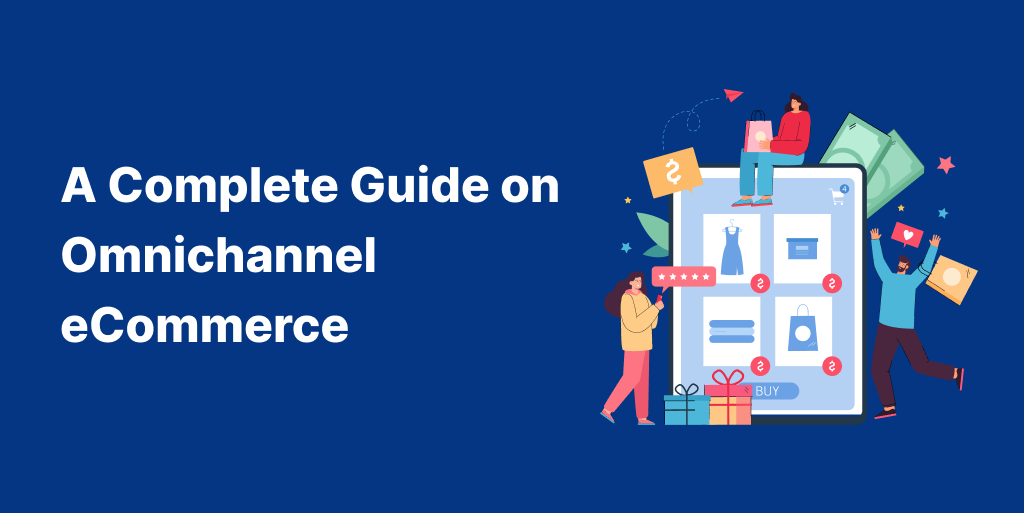
Omnichannel eCommerce is a commerce approach where customers experience your brand as a single, connected system across all touchpoints—website, email, SMS, WhatsApp, social media, marketplaces, customer support, and offline touchpoints (if applicable).
The defining feature is not the number of channels you use. It’s the continuity of customer context:
- The customer’s identity is recognized across channels (email/phone/customer ID).
- Their behavior updates their state (browse → cart → purchase → repeat).
- Messaging adapts to that state in a coordinated way.
- Offers, pricing, product information, and policies remain consistent.
If the customer switches devices or channels, the experience should remain coherent. That coherence is what separates “omnichannel” from “multi-channel presence.”
Increase your store’s average order value by pairing relevant upsells with customer purchases using the UpsellWP plugin.
Multichannel vs Omnichannel eCommerce
Both omnichannel and multichannel can involve the same set of channels: website + email + SMS + WhatsApp + ads.
The difference is integration and decision-making:
Multichannel eCommerce
- Each channel runs independently.
- Email sends campaigns regardless of SMS activity.
- Support doesn’t see what marketing sent.
- Promotions differ between channels.
- The same customer can receive contradictory messages.
Omnichannel eCommerce
- Channels share customer data and coordinate actions.
- Automations react to customer events (purchase suppresses cart reminders).
- Support sees the communication history, or at least the customer state.
- Offers are consistent and rule-based across channels.
- Each channel plays a defined role rather than repeating the same message.
Also Read: Omnichannel vs Multi-channel Marketing (Differences + Examples)
Quick test:
If a customer purchases at 2:05 PM and still receives a cart abandonment SMS at 2:15 PM, your system is multichannel. If that message is automatically suppressed because the purchase event updated their customer state, your system behaves omnichannel.
Omnichannel eCommerce – Core Requirements
Most “omnichannel” attempts fail because one of these requirements is weak.
1) Unified customer data
You don’t need an enterprise-grade CDP to start, but you need a reliable “single view” of basic customer facts:
- identity resolution (email/phone/customer ID mapping)
- purchase history
- lifecycle stage (subscriber, first buyer, returning, VIP, churn risk)
- consent + channel preference (especially SMS/WhatsApp)
Also Read: eCommerce CRM: A Complete Guide
2) Consistent experience across touchpoints
Customers lose trust fast when:
- Pricing differs between email and website
- Discount rules don’t match message claims
- Policies (returns, shipping, warranty) are inconsistent
- Product information varies across pages and messages
Consistency is conversion. In WooCommerce, many support tickets are caused by mismatched promotions and unclear rules—not by product issues.
3) Channel coordination
Channels should not compete. They should coordinate:
- Email handles depth and education.
- SMS handles urgency and quick action.
- WhatsApp handles high-intent conversations and support.
- On-site handles real-time prompts and personalization.
Omnichannel is what happens when those roles are designed intentionally.
Also Read: Real-World Omnichannel Marketing Guide for Growing Brands
Benefits of Omnichannel eCommerce
a) Conversion Rate and Checkout Completion
Omnichannel improves conversion rates by reducing friction and reducing “decision resets.” Common conversion leaks omnichannel fixes:
- Intent decay: Customers abandon the cart, and reminders come too late.
- Contradictory messages: A customer sees “10% off” in an email but cannot apply it at checkout.
- Repetitive messaging: Email and SMS send the same words; it feels spammy, not helpful.
- Context loss: Reminders display the wrong variant, currency, or outdated cart items.
- Support disconnection: Customer asks a question on WhatsApp, but email automation continues as if nothing happened.
In a functioning omnichannel system, each follow-up message is “the next best message,” not just “another reminder.”
Practical conversion lift comes from:
- better timing (based on user behavior)
- fewer redundant messages
- stronger relevance (cart contents, viewed category, previous purchase)
- suppression logic (stop when purchase happens)
Also Read: 10 Strategies to Optimize WooCommerce Conversion Rates
b) Retention, Repeat Purchases, and Customer Lifetime Value
Retention is where omnichannel compounds. Most stores treat post-purchase as a receipt plus silence. Omnichannel turns post-purchase into a structured system:
- onboarding and usage guidance
- proactive support
- cross-sell that matches purchase context
- replenishment reminders tied to product lifecycle
- loyalty moments tied to VIP behavior
- win-back flow triggered by inactivity
These directly improve:
- repeat purchase rate
- time-to-second-order
- customer lifetime value (CLV)
- refund/return rate (because education improves satisfaction)
In WooCommerce, retention is often easier to improve than acquisition because you already have first-party data and customer history.
Also Read:WooCommerce Customer Retention: Best Strategies and Plugins
c) Customer Support Efficiency in Omnichannel eCommerce
Omnichannel eCommerce reduces support load when customer messaging and customer state are coordinated.
Examples:
- “Where is my order?” drops when you proactively update shipping/delivery on the customer’s preferred channel.
- “Why didn’t my coupon work?” drops when discount messaging matches real eligibility rules.
- “I already bought it” complaints drop when cart reminders are suppressed immediately.
Brand trust increases when:
- Messages are timely
- Your offers are consistent
- Policy communication is clear
- Customers feel recognized across touchpoints
Trust is not a brand asset built only through storytelling. It’s built through operational consistency.
Omnichannel eCommerce Foundations for WooCommerce
Here are the foundation pillars for Omnichannel eCommerce, specifically for WooCommerce stores.
a) Customer Data and Identity Resolution
Omnichannel depends on recognizing the same person across touchpoints.
In WooCommerce, identity often fractures because:
- customer checks out as a guest using email, but later uses phone for SMS signup
- The customer uses different emails across purchases
- Marketplace purchases don’t map cleanly to store accounts
- Multiple devices create multiple cookies
Minimum identity foundation:
- unify records using WooCommerce customer ID + email + phone
- store consent status for each channel
- maintain a customer state (subscriber, buyer, returning, VIP, churn-risk)
Recommended customer state fields (simple but effective):
- last purchase date
- total orders
- total spend
- last viewed category/product (optional)
- last cart event date (optional)
- preferred channel (inferred by engagement)
- discount sensitivity flag (bought only during promos)
Why this matters:
Without identity resolution, you can’t coordinate messages. The same customer can get:
- welcome series + win-back series simultaneously
- Cart abandonment messages after purchase
- VIP rewards while still being treated as a “new subscriber.”
Consistency is not a nice-to-have. It is the backbone of omnichannel eCommerce conversion and trust.
Checklist for WooCommerce omnichannel consistency:
- Offers: coupon eligibility, exclusions, min spend, expiry
- Shipping: thresholds, delivery timelines, serviceability
- Policies: returns/exchanges/warranty surfaces consistently across email/SMS/landing pages
- Inventory messaging: low stock, back-in-stock, and preorder messaging aligned
- Pricing: Avoid contradictory pricing language across channels
Also Read: How to Create WooCommerce Next Order Coupon
Common mistake:
“10% off everything” is sent in an email, but the coupon excludes sale items or specific categories. This creates frustration, cart abandonment, and support tickets.
Best practice:
Always phrase offers precisely:
- “10% off sitewide (excludes sale items)”
- “10% off on orders above ₹X”
- “Free shipping on orders above ₹X”
Precision increases conversion because it reduces last-minute disappointment.
c) Messaging Channels: Omnichannel eCommerce Email, SMS, WhatsApp, Onsite
Omnichannel eCommerce works when channels have roles. Channels like emails, SMS, WhatsApp, and Onsite are discussed below.
Email
- Education, long-form persuasion, onboarding
- Product storytelling and social proof
- Sequences (welcome, post-purchase, win-back)
SMS
- Short reminders and urgent actions
- Time-sensitive nudges and “one link” messages
- Should be used selectively to avoid fatigue
Also Read: e-Commerce SMS Marketing Guide: Setup, Strategy and Examples
WhatsApp
- Best for conversational support, high-intent closure, and order updates
- Works strongest for VIP or high-intent segments
- Avoid blasting WhatsApp like SMS; keep it context-driven
Also Read: WhatsApp Marketing Guide: Setup, Automation & Strategy
Onsite
- Best for real-time prompts: recently viewed, cart reminders, upsell offers
- Suitable for personalization, segment-based messages, and recommendations
If you treat every channel as “another place to copy-paste,” customers tune out. Omnichannel is about sequencing and channel roles.
Implementation Framework for Omnichannel in WooCommerce
Here’s a 4-step process to implement Omnichannel in WooCommerce.
Step 1: Customer Journey Mapping in Omnichannel eCommerce
Start with three journeys. This keeps the build practical and measurable.
Recommended starter journeys:
- First purchase journey: visit → subscribe → first order
- Cart recovery journey: add to cart → abandon → recovery
- Repeat purchase journey: purchase → post-purchase → second order
For each journey, define:
- entry trigger (what event starts the journey)
- goal (what success looks like)
- key friction (why people drop off)
- next best message (what removes friction)
Example (Cart recovery journey):
- Trigger: add to cart + no purchase within X minutes/hours
- Goal: complete checkout
- Friction: shipping cost, trust, payment issues, decision uncertainty
- Next best messages: social proof, policy clarity, shipping transparency, limited incentive if needed
This makes automation design structured instead of random.
Step 2: Segmentation and Personalization Rules
Segmentation should change what you do, not just label customers.
Core segments to implement early:
- First-time buyers (need confidence + education)
- Returning customers (need relevance + faster decisions)
- VIP/high LTV (need exclusivity + service)
- High-intent non-buyers (need objection handling)
- Discount-driven customers (need structured promos and guardrails)
Also Read: How to Set Up a WooCommerce First Order Discount
Personalization rules in Omnichannel eCommerce should be explicit:
- What products to recommend
- Category to emphasize
- Channels to prefer
- when to use incentives (and when not to)
- suppression rules
Without explicit rules, personalization becomes “insert first name” and doesn’t change outcomes.
Step 3: Automation Architecture and Trigger Design
Omnichannel in eCommerce is a trigger-and-state system.
You need:
- Event triggers: subscribe, browse, add to cart, checkout started, purchase completed
- Time windows: when to send each step
- Exit conditions: stop flows when a purchase occurs
- Suppression logic: avoid sending multiple flows at once
- Channel fallback rules: if SMS consent is absent, email carries the message
Also Read: Email Automation: An Ultimate Guide for Beginners
Strong omnichannel eCommerce logic examples:
- If the purchase is completed → stop cart recovery immediately
- Customer replied on WhatsApp → pause promotional nudges for a short window
- VIP customer → prioritize WhatsApp support + limit discount-heavy messaging
- If the customer bought recently → avoid sending win-back messages
This is what prevents “automation chaos.”
Step 4: Measurement and Iteration in Omnichannel eCommerce
Every flow in Omnichannel eCommerce must connect to measurable outcomes.
Weekly review:
- Conversion rate per flow
- Revenue per recipient
- Unsubscribes/complaints by flow
- Suppression failures (“purchased but still received cart reminder”)
Monthly review:
- segment definitions
- message angles and offer structure
- channel roles and fatigue
Quarterly review:
- Expand journeys (VIP experiences, loyalty, churn prevention)
- Refine personalization (category-based and behavior-based)
Omnichannel becomes powerful when it operates as a continuous improvement system.
Seven High-ROI Omnichannel Automations (Examples Included)
Some of the automations you can make in your Omnichannel eCommerce strategy are listed below.
1. Welcome and First Purchase Acceleration
Objective: convert new subscribers to first-time buyers.
Trigger: newsletter signup, account creation, lead magnet download.
Flow design:
- Email 1: brand promise + best sellers + social proof
- Email 2: category guidance + “how to choose” + FAQs
- Email 3: objection handling (shipping, returns, authenticity, warranty)
- SMS (optional): “Need help choosing? Reply with what you’re shopping for.”
- WhatsApp (optional for high intent): short concierge help
Key rule: don’t rush to discount.
First-time conversion improves more from:
- clarity
- trust
- product selection help
- than from immediate incentives.
Convert new subscribers faster by pairing welcome emails with relevant first-purchase upsells using the UpsellWP plugin.
2. Browse Abandonment
Objective: recover high-intent browsing sessions.
Trigger: viewed product/category multiple times, or multiple sessions without purchase.
Flow design:
- Email: benefits + reviews + “best for” positioning (not just “you viewed this”)
- Onsite: recently viewed + comparison prompt
- SMS (high-intent only): short reminder + link
When browse abandonment works best:
- for considered purchases (higher AOV)
- When product education matters
- when customers need reassurance
When it fails:
- When you trigger it for every single view
- When you send discounts too early to all segments
Also Read: Increase Average Order Value: 15 Best Ways
3. Cart Abandonment
Objective: recover checkout-intent customers.
Trigger: added to cart + no purchase within defined window.
Suggested sequence:
- Email 1 (1–2 hours): cart reminder + image + single CTA
- SMS (6–12 hours): short reminder + checkout link
- Email 2 (18–24 hours): objection handling (shipping/returns/trust)
- Email 3 (optional): incentive only if segment or high intent warrants it
- WhatsApp (optional): for high-intent customers who may have questions
Best practice additions:
- show cart summary (correct variant and price)
- Highlight returns policy and support
- avoid “we saved your cart” clichés; be specific and helpful
Also Read: Shopping Cart Abandonment: Reasons & Recovery
4. Post-Purchase Education and Cross-sell
Objective: Increase satisfaction and second purchase probability.
Trigger: purchase completed.
Flow design:
- Email: onboarding/usage tips + expectations (delivery, care, setup)
- WhatsApp: order updates or support-ready message (where appropriate)
- Email: cross-sell based on purchased category
- SMS: next-order benefit with expiry only if relevant
This flow reduces refunds and increases confidence, which is often the strongest path to repeat purchases.
5. Next-Order Coupon and Replenishment
Objective: shorten time-to-second-order.
Trigger: time since purchase or expected usage cycle.
Flow design:
- Email: reorder reminder + personalized recommendations
- SMS: reorder link for quick action
- WhatsApp: reorder help for engaged customers
Works best for repeat-cycle categories:
- skincare
- supplements
- consumables
- household essentials
- pet supplies
6. Win-back and Churn Prevention
Objective: Reactivate customers before they become inactive permanently.
Trigger: no purchase in X days (category dependent).
Flow design:
- Email 1: personalized product recommendations based on purchase history
- Email 2: new arrivals or category update relevant to the customer
- SMS: short nudge with a clear CTA (selective use)
- WhatsApp (VIP only): concierge support and preference-based recommendations
Best practice: lead with relevance, not discounting.
Discounting too early trains customers to wait.
Also Read: 9 Best Win-Back Emails that Retain Customers
7. VIP, Loyalty, and Experience Personalization
Objective: retain high lifetime customers and increase frequency.
Trigger: spend threshold, order count threshold, loyalty tier entry.
Flow design:
- VIP early access campaigns (email)
- VIP WhatsApp updates (optional, selective)
- surprise reward moments (“you’ve unlocked…”)
- personalized bundles and add-ons based on purchase patterns
- post-purchase gratitude messaging aligned to VIP tier
VIP flows should feel like service and recognition, not constant promotions.
Also Read: e-Commerce Loyalty Programs: Examples + Ideas
‘Retainful’ for Omnichannel eCommerce Marketing Execution
Omnichannel strategy fails when execution becomes fragmented across multiple tools.
Retainful fits as an execution layer for WooCommerce, where you can coordinate email + SMS + WhatsApp messaging under one automation framework (especially useful for suppression logic and consistent flow orchestration).
a) Email + SMS + WhatsApp Orchestration
What you want in omnichannel eCommerce execution:
- trigger-based automation builder
- segmentation
- suppression and exit rules (purchase stops recovery)
- channel coordination to avoid duplicates
- consistent templates and campaign management
Also Read: Email Segmentation: Complete Guide for 70% More Sales
b) Recommended Flow Stack for WooCommerce
To build an omnichannel eCommerce flow stack with minimal complexity:
- welcome flow
- browse abandonment
- cart abandonment
- post-purchase flow
- replenishment or next-order incentive
- win-back
- VIP flow (after baseline data exists)
This stack covers acquisition → conversion → retention.
UpsellWP for Omnichannel AOV Growth
Omnichannel in eCommerce increases conversion and retention. AOV growth comes from using the right onsite moments and following through.
UpsellWP plugin fits into omnichannel as the onsite conversion layer where high-intent users can accept relevant upsells at:
- cart
- checkout
- post-purchase
a) On-site Upsells as the First Conversion Layer
Upsells convert best when:
- They are context-based (related to the purchased item)
- Reduces friction (bundle convenience)
- They feel helpful, not random
Examples:
- camera → memory card + cleaning kit
- skincare product → routine bundle (cleanser + moisturizer)
- shoes → socks + care kit
b) Omnichannel Follow-through for Upsell Completion
If an onsite upsell is skipped, omnichannel follow-through increases completion.
Pattern:
- UpsellWP shows the offer at checkout/post-purchase
- If skipped, follow up with:
- Email: explain value + social proof + compatibility guidance
- SMS: short reminder only if the urgency is real
- WhatsApp: optional help for choosing variant/size (VIP/high-intent)
This is an AOV system, not a random upsell attempt.
KPIs for Omnichannel eCommerce
a) Core Metrics
Track these weekly:
- conversion rate (overall + by flow)
- cart recovery rate
- repeat purchase rate
- time-to-second-order
- AOV
- LTV by cohort
- Revenue per recipient per channel
- unsubscribe/complaint rate (experience health)
These metrics align with omnichannel goals: conversion + retention + consistent experience.
b) Attribution Guidelines
Avoid last-click obsession. In omnichannel, channels assist each other.
Measure:
- flow-level performance (conversion per automation)
- incremental lift (control vs exposed if possible)
- lifecycle outcomes (repeat purchases, LTV)
Common Mistakes and Corrective Actions
a) Data Silos and Conflicting Messaging
Symptoms:
- cart reminders after purchase
- different segments in different tools
- inconsistent promotions
Fix:
- unify identity resolution and customer state
- standardize offer logic and eligibility language
- enforce global suppression rules (purchase cancels recovery)
b) Over-messaging and Low Relevance
Symptoms:
- rising unsubscribes
- declining CTR
- “spam” perception
Fix:
- Assign channel roles clearly
- message caps per segment
- personalize based on behavior and lifecycle stage
c) Automation Without Customer Context
Symptoms:
- Flows run, but don’t create revenue
- high volume, low impact
Fix:
- reduce flow count
- improve triggers and segmentation
- rewrite messages to address real friction points (shipping, returns, trust, decision anxiety)
Omnichannel eCommerce Launch Checklist
- Define 3 core journeys (first purchase, cart recovery, repeat purchase)
- Identify key events: view, add-to-cart, checkout, purchase
- Unify customer identity (email + phone + WooCommerce ID)
- Store consent and channel preferences
- Assign channel roles: email depth, SMS urgency, WhatsApp conversation
- Build 4 baseline flows: welcome, browse abandonment, cart abandonment, post-purchase
- Add replenishment/next-order flow if a repeat cycle exists
- Add win-back once baseline stabilizes
- Validate offer consistency (coupon rules, exclusions, policies)
- Add UpsellWP at checkout/post-purchase for AOV growth
- Use Retainful to orchestrate email + SMS + WhatsApp flows consistently
- Track KPIs weekly and iterate based on revenue impact
Turn a single-product purchase into a bundled order by displaying relevant upsell products using the UpsellWP plugin
Conclusion
Omnichannel eCommerce is more than just being present on multiple channels—it’s about creating a seamless, consistent experience across email, SMS, WhatsApp, and onsite. By unifying your customer data, messaging, and offers, you can boost conversions, improve retention, and drive higher lifetime value for your WooCommerce store.
With tools like Retainful and UpsellWP, you can easily implement automation that aligns with customer behavior, ensuring timely, relevant engagement at every touchpoint. Start small with key flows like welcome series, cart recovery, and post-purchase engagement, and build from there.
Incorporating Omnichannel eCommerce into your strategy isn’t just an upgrade; it’s the key to creating lasting customer relationships and sustainable growth. Start today and watch your store thrive.
Related Read:
Frequently Asked Question
What channels are included in Omnichannel eCommerce? Common channels include email, SMS, WhatsApp, onsite messaging, social media, customer support, and sometimes offline touchpoints like in-store pickup.
Do small and mid-sized WooCommerce stores need Omnichannel eCommerce? Yes. Omnichannel eCommerce is especially valuable for growing stores because it reduces churn, improves repeat purchases, and maximizes existing traffic.
What metrics should be tracked for Omnichannel eCommerce? Important metrics include conversion rate, cart recovery rate, repeat purchase rate, customer lifetime value (LTV), and revenue per channel.
What is eCommerce Omnichannel? eCommerce omnichannel means all channels (store, email, SMS, WhatsApp, support) work together with shared customer data for one consistent experience.
What are some examples of omnichannel eCommerce? A shopper browses, gets an email cart reminder, then an SMS nudge, completes the purchase, and receives order updates and recommendations—without duplicate messages.