
Choosing between WooCommerce and Shopify is one of the first real decisions you make as a store owner, and it is harder than most comparisons admit. The usual summary, “Shopify is easier, WooCommerce is cheaper,” is only half true. Depending on your revenue, payment provider, and how much you want to customize, either platform can end up cheaper, and either can end up costing you time you did not budget for.
This guide compares both platforms on what actually affects your business: real monthly cost including transaction fees, control over your store and data, SEO, scalability, and the work you personally have to do. We have verified all pricing against each platform’s live pages, and we call out honestly where each one wins.
Let’s get started.
Boost sales by upselling and cross-selling in your WooCommerce store using UpsellWP.
Table of contents
- The short answer
- What WooCommerce and Shopify actually are
- WooCommerce vs Shopify: at a glance
- Ease of use and setup
- Design and customization
- The real cost: pricing and total cost of ownership
- Payment gateways and transaction fees
- Performance and speed
- SEO and content
- Apps, plugins, and extending your store
- Security and maintenance
- Scalability and B2B selling
- Selling internationally and across channels
- Data ownership and platform lock-in
- Support
- Dropshipping
- Migrating between platforms
- The scorecard
- Which should you choose?
- Growing your store after you choose
- Conclusion
- Frequently Asked Questions
The short answer
If you want to skip ahead, here is the honest verdict.
Choose Shopify if you want to launch quickly, you would rather pay a predictable monthly fee than manage servers, you sell in person as well as online, or nobody on your team wants to think about updates, backups, and security. Shopify handles the infrastructure so you can focus on selling. That convenience is genuinely worth paying for.
Choose WooCommerce if you already run a WordPress site, you want full control over your store’s design and checkout, you rely heavily on content and SEO, you need unusual product types or B2B workflows, or you want to keep your payment processor and your data entirely under your own control. I need this content Box Type
The deciding question is not “which is better.” It is whether you would rather rent convenience (Shopify) or own infrastructure (WooCommerce). Both build successful stores. The rest of this guide shows exactly where that trade-off shows up. I need this content Box Type
What WooCommerce and Shopify actually are

The single most important difference is the hosting model, and it is worth getting right because everything else follows from it.
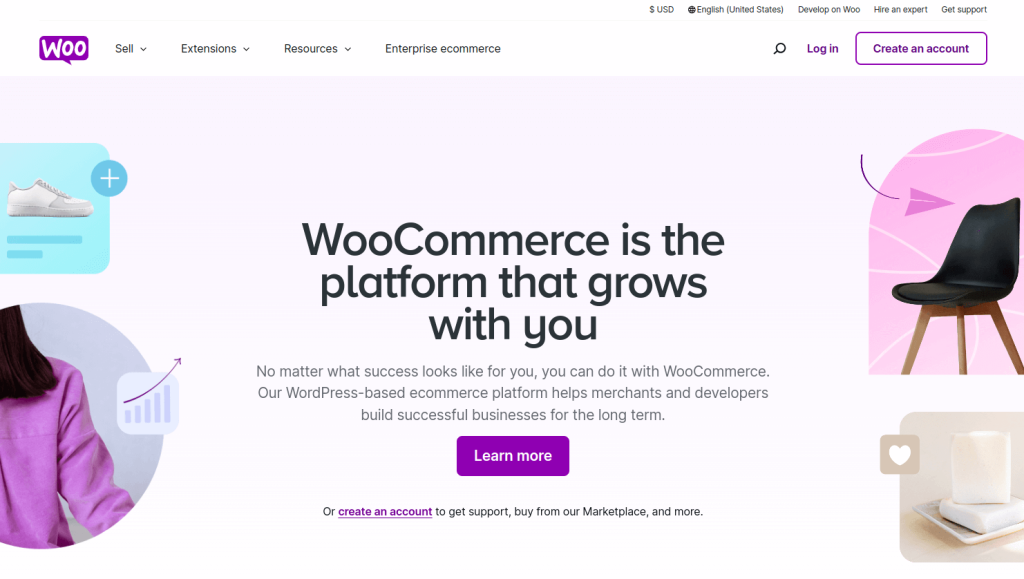
WooCommerce is self-hosted. It is a free, open-source plugin that turns a WordPress site into a full online store. “Self-hosted” means you choose and pay for the hosting, and you are responsible for updates, backups, and security. In exchange, you own everything: the code, the database, the customer data. WooCommerce is developed by Automattic and has 7+ million active installations on WordPress.org, where it holds a 4.5 out of 5 rating.
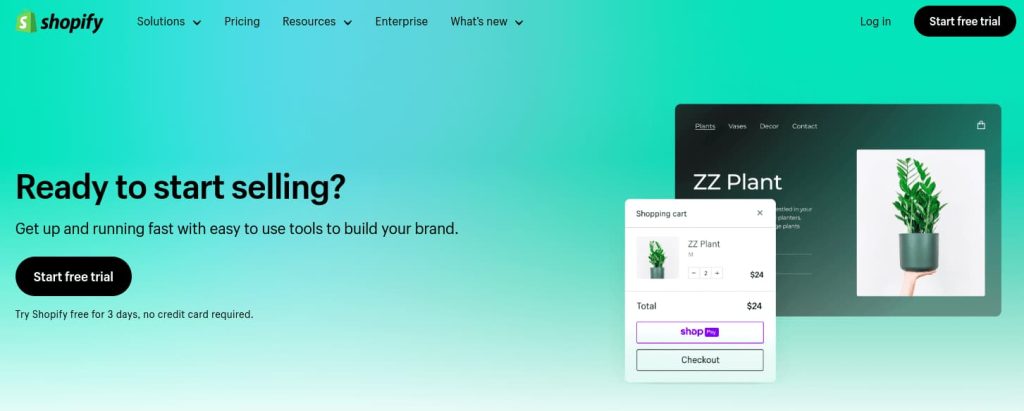
Shopify is fully hosted. It is a subscription platform, launched in 2006, where Shopify runs the servers, handles security and PCI compliance, ships updates, and keeps the store online. You do not touch infrastructure at all. In exchange you work within Shopify’s system: their themes, their app store, their checkout, and their rules.
For scale context, web technology survey data from W3Techs shows WooCommerce powering roughly 9% of all websites and Shopify around 4.8%. Both are enormous; neither is a risky choice.
That distinction, self-hosted versus fully hosted, explains almost every difference below. Control and responsibility travel together.
WooCommerce vs Shopify: at a glance
| – | WooCommerce | Shopify |
| Type | Open-source WordPress plugin | Hosted SaaS platform |
| Hosting | You provide it | Included |
| Platform cost | Free | From $29/month (billed annually) |
| Transaction fee | None from the platform | 0% with Shopify Payments; up to 2% with third-party gateways |
| Payment gateways | 100+, your choice | Shopify Payments, or third-party with a fee |
| Setup time | Half a day to a few days | An hour to a day |
| Customization | Unlimited (full code access) | Theme editor plus Liquid; checkout limited below Plus |
| SEO | Full control, strong content tooling | Solid built-in basics, some URL structure fixed |
| Maintenance | Yours (updates, backups, security) | Handled by Shopify |
| Data ownership | Complete, exportable | Exportable, but the store lives on Shopify |
| Support | Community, hosts, plugin vendors | 24/7 official support |
| Best for | Content-led, custom, B2B, cost control at scale | Fast launch, retail/POS, low technical overhead |
Ease of use and setup
Shopify wins this, clearly.
Shopify’s setup is a guided checklist. You sign up, pick a theme, add products, connect payments, and you can be selling the same day. Everything lives in one dashboard, the terminology is consistent, and you never encounter a server setting. For a non-technical founder, this removes a genuine barrier.
WooCommerce asks more of you before you sell anything. You need hosting and a domain, then WordPress, then the WooCommerce plugin, then a theme, then the setup wizard. The wizard itself is good, but you are assembling a store from parts rather than being handed one. If you already run a WordPress site, this feels natural. If you have never touched WordPress, expect a real learning curve.
Be honest with yourself here. The time you spend learning WooCommerce is time you are not selling, and that has a cost even though it does not appear on an invoice.
Design and customization
WooCommerce wins this, clearly.
Shopify gives you polished themes and a drag-and-drop editor that produces good-looking stores quickly. For deeper changes you edit Liquid templates. It is capable, but you are working inside a defined system, and the checkout in particular is locked down on all plans below Shopify Plus. If your business needs an unusual checkout flow, that ceiling matters.
WooCommerce has no ceiling. Because it is open-source PHP running on your own server, every template, hook, and filter is editable. You can restructure the product page, rewrite the checkout, add custom fields, or build entirely bespoke functionality. You can use any WordPress theme, and page builders like Elementor work throughout.
This freedom is a real advantage and a real responsibility. Nothing stops you from installing conflicting plugins or a bloated theme that slows your store down. WooCommerce gives you the tools and trusts you to use them well. If you want to see what a well-chosen setup looks like, our guide to the best WordPress eCommerce plugins covers the core stack most stores need.
The real cost: pricing and total cost of ownership
This is where most comparisons oversimplify, so we will do the actual math.
Shopify’s pricing
Shopify restructured its plans, and the old “Shopify” plan is now called Grow. Current pricing:
| Plan | Monthly billing | Annual billing | Notes |
| Starter | $5/month | — | No full storefront; social and link selling only |
| Basic | $39/month | $29/month | Entry plan for new stores |
| Grow (formerly “Shopify”) | $105/month | $79/month | Adds staff accounts, lower fees |
| Advanced | $399/month | $299/month | Lowest fees, advanced reporting |
| Plus | From $2,300/month | — | Enterprise, checkout extensibility, B2B |
Annual billing saves 25%. New stores get a 3-day free trial, then $1/month for three months.
WooCommerce’s pricing
WooCommerce itself is free and open-source, with no plan fee and no platform transaction fee, ever. Your costs are the pieces you assemble:
- Hosting: roughly $10–30/month for entry-level shared or managed WordPress hosting, rising to $50–150+/month for managed hosting built for stores.
- Domain: roughly $10–20/year.
- SSL: typically free with modern hosts.
- Theme: free options exist; premium themes are usually a one-off $30–100.
- Plugins: free for many needs; paid extensions typically $50–150/year each.
What this actually costs at three revenue levels

The honest answer depends on your order volume, because payment processing dominates once you are selling. Here is illustrative math using Shopify Payments rates and a standard Stripe rate for WooCommerce (2.9% + 30¢), assuming US pricing and annual Shopify billing.
A new store: $5,000/month, 100 orders
- Shopify Basic: $29 plan + (2.9% + 30¢ × 100) ≈ $204/month
- WooCommerce: $20 hosting + (2.9% + 30¢ × 100) ≈ $195/month, plus any paid plugins
Nearly identical. At this stage the platform fee is noise compared to processing, and Shopify’s convenience is close to free.
A growing store: $50,000/month, 800 orders
- Shopify Grow: $79 plan + (2.7% + 30¢ × 800) ≈ $1,669/month
- WooCommerce: $100 hosting + (2.9% + 30¢ × 800) + ~$75 plugins ≈ $1,865/month
Here is the finding most comparisons miss: Shopify can be cheaper in the mid-range, because its bundled card rate drops as you move up plans while your third-party processor’s rate typically does not. If you have not negotiated processing rates, Shopify’s blended cost is competitive.
A large store: $250,000/month, 3,000 orders
- Shopify Advanced: $299 plan + (≈2.4% + 30¢ × 3,000) ≈ $7,199/month
- WooCommerce: $300 hosting + negotiated processing (often ~2.4–2.6% at this volume) + ~$150 plugins ≈ $6,450–7,000/month
At scale the picture flips again, because WooCommerce lets you negotiate directly with a processor and keep the savings, while Shopify’s rates are set by your plan tier.
The honest conclusion: WooCommerce is not automatically cheaper. It is cheaper at the very start and at scale with negotiated processing, and roughly comparable in between. What WooCommerce reliably gives you is control over which costs you pay.
Payment gateways and transaction fees
WooCommerce wins this.
This deserves its own section because it is the most consequential financial difference and the one most often overlooked.
Shopify charges a platform transaction fee if you do not use Shopify Payments. On top of your processor’s normal card fees, Shopify adds 2% on Basic, 1% on Grow, and 0.6% on Advanced. Using Shopify Payments removes that surcharge entirely, which is the point: the fee exists to keep you on their processor. If Shopify Payments is unavailable in your country, or you have a better rate elsewhere, or you need a specific regional gateway, that surcharge is a permanent tax on every order.
On a store doing $50,000/month on Basic with an external gateway, that 2% is $1,000 every month on top of processing.
WooCommerce never charges a platform transaction fee. It supports 100+ gateways, including Stripe, PayPal, Square, WooPayments, and a long list of regional providers. You pick the processor with the best rate or the right local payment methods, and 100% of what you save stays with you.
For stores outside Shopify Payments’ supported countries, or in markets where local payment methods matter, this alone can decide the platform.
Performance and speed
Shopify wins out of the box; WooCommerce wins with effort.
Shopify’s servers are optimized for commerce, delivered through a global CDN, and tuned by their team. Images and code are handled for you. You get fast performance without doing anything, and it stays fast as you grow. For most merchants this is simply one less thing to think about.
WooCommerce’s speed depends entirely on your choices: your host, your theme, your plugin count, your caching setup, your image optimization. A well-built WooCommerce store on quality hosting is genuinely fast, sometimes faster than a comparable Shopify store because you control exactly what loads. A poorly built one on cheap shared hosting is slow, and that is a common outcome.
Since speed affects both rankings and conversions, this matters. If you go the WooCommerce route, budget for good hosting and a caching plugin from day one rather than treating them as optional. Our guide to WooCommerce conversion rate optimization covers how page speed feeds directly into conversion.
SEO and content
WooCommerce wins this.
WooCommerce inherits WordPress, which is the most capable content management system available, and content is how most stores earn organic traffic. You get full control over URLs, meta data, schema, internal linking, and site structure, plus a genuinely good blogging platform. Plugins like Rank Math and Yoast add product schema, sitemaps, and redirect management. See our roundup of the best WooCommerce SEO plugins for the options.
Shopify’s SEO is solid and improving. You can edit title tags, meta descriptions, alt text, and URL handles, and it generates sitemaps automatically. The limitations are structural: Shopify enforces certain URL patterns (such as /products/ and /collections/ in paths), and its blogging tools are basic next to WordPress. For a store competing on content, that gap compounds over time.
If your growth plan depends on ranking for informational searches and converting that traffic, WooCommerce gives you more room. Our guide on how to increase WooCommerce sales covers building that traffic engine.
Apps, plugins, and extending your store
Roughly even, with different trade-offs.
Shopify’s App Store is curated and reliable. Apps are vetted, installation is one click, and things generally work together. The catch is the pricing model: most apps are monthly subscriptions, and a stack of five or six can quietly add $100–300/month. Those costs scale with you and never stop.
WooCommerce draws on tens of thousands of WordPress plugins, many free, with paid extensions usually sold as an annual licence rather than a monthly subscription. That is often cheaper over time. The trade-off is quality control: the ecosystem is open, so plugin quality varies, and combining poorly built plugins causes conflicts. You need judgment about what you install.
Our list of the top WooCommerce plugins for your store is a reasonable starting point for building a stack that does not fight itself.
Security and maintenance
Shopify wins this, clearly.
Shopify handles PCI DSS compliance, SSL, server security, patching, and backups. If a vulnerability appears, their team fixes it. You will never wake up to a broken store because of an update you did not apply. For a merchant without technical support, this is one of Shopify’s strongest arguments.
With WooCommerce, security is your responsibility. That means keeping WordPress, WooCommerce, your theme, and every plugin updated, running backups, using a security plugin, and maintaining a valid SSL certificate. Good managed WordPress hosting automates much of this, which is exactly why it is worth paying for. But the responsibility remains yours, and stores that neglect it do get compromised.
Be realistic about whether you or someone on your team will actually do this work.
Scalability and B2B selling
Both scale; they scale differently.
Shopify scales without you thinking about it. Traffic spikes are absorbed by their infrastructure. The constraint is cost and flexibility rather than capacity: as you grow you move up plan tiers, and serious B2B functionality and checkout customization sit behind Shopify Plus at $2,300+/month.
WooCommerce scales as far as your infrastructure and build quality allow. Large stores run on it successfully, but reaching that point requires proper hosting, database optimization, and often developer involvement. What you get in return is that complex requirements are solvable at any budget. Subscriptions, bookings, memberships, wholesale pricing, and quote requests are all available through extensions without an enterprise contract.
For B2B specifically, WooCommerce tends to be more accessible, since role-based pricing, tax exemptions, and quote workflows are plugin territory rather than an enterprise tier. Our overview of eCommerce B2B trends covers where that market is heading.
Selling internationally and across channels
Shopify wins on multichannel; WooCommerce wins on flexibility.
Shopify is strong here. Shopify Markets handles multi-currency and regional pricing, and the platform connects natively to Amazon, eBay, Instagram, TikTok, and Google Shopping. Shopify POS for in-person selling is genuinely excellent and tightly integrated, which makes Shopify the obvious choice if you have physical retail alongside your store. Note that some international features are tied to higher plan tiers.
WooCommerce handles multi-currency, multi-language, and regional tax through plugins, with no platform-imposed limits on how many markets you sell into. Marketplace and social integrations exist but are assembled rather than built in, and the POS options are less mature than Shopify’s.
If you are building a genuinely omnichannel operation , Shopify gets you there faster. If your requirements are unusual, WooCommerce will accommodate them.
Data ownership and platform lock-in
WooCommerce wins this.
With WooCommerce, your store runs on your hosting, your database, and your domain. You can export everything, move hosts, or restructure the site without asking permission. Nobody can change your pricing, deprecate a feature you depend on, or suspend your store. The open-source licence means the software cannot be taken away from you.
With Shopify, your store lives on Shopify. You can export products, customers, and orders, but you cannot take the store itself, and theme code and app configurations do not transfer. You are also exposed to platform decisions: pricing changes, policy changes, and feature deprecations happen on their schedule, not yours. Shopify’s plan restructuring and price increases over the past two years are a fair illustration.
This is not a reason to avoid Shopify. It is a reason to understand what you are agreeing to. Renting has real advantages; it just is not ownership.
Support
Shopify wins this.
Shopify offers 24/7 support by chat and email on every plan. When something breaks at 2am during a sale, there is someone to contact, and that has genuine value.
WooCommerce support is distributed. Core support comes through WordPress.org forums and community channels, your host supports your hosting, and each plugin vendor supports their own product. The community is enormous and the documentation is excellent, but there is no single number to call, and when a problem spans hosting, theme, and plugins, working out who owns it takes time.
If you do not have a developer, this difference is significant.
Dropshipping
Shopify wins this.
Shopify’s dropshipping ecosystem is the most mature available. Apps like DSers, Zendrop, Spocket, and CJdropshipping connect to suppliers and automate order fulfilment with minimal setup. (Note that Oberlo, which older articles still recommend, was discontinued by Shopify in 2022 and is no longer available.)
WooCommerce supports dropshipping through plugins such as AliDropship, Spocket, and various supplier integrations, plus full control over the process. It works well, but expect more configuration and less automation out of the box.
If dropshipping is your primary model and speed to launch matters, Shopify is the pragmatic choice.
Migrating between platforms
Migration is possible in both directions and is not a reason to agonize over the decision.
Moving Shopify to WooCommerce is well supported. You can export products, customers, and orders as CSV and import them, or use a service like LitExtension or Cart2Cart to automate it. Our roundup of import and export plugins for WooCommerce covers the tools.
Moving WooCommerce to Shopify works similarly through CSV export and Shopify’s import tools.
What does not transfer in either direction is your theme, your custom code, your app or plugin configuration, and your URL structure. Budget for rebuilding the front end and setting up redirects to protect your search rankings. Migration is a project, not a button.
The scorecard
| Category | Winner | Why |
| Ease of use and setup | Shopify | Guided setup, selling within a day |
| Design and customization | WooCommerce | Full code access, no checkout ceiling |
| Platform cost | WooCommerce | Free core, no platform fee |
| Transaction fees | WooCommerce | No platform surcharge, any gateway |
| Total cost at mid-scale | Shopify | Bundled card rates are competitive |
| Performance out of the box | Shopify | Optimized infrastructure, global CDN |
| Performance ceiling | WooCommerce | Full control with the right setup |
| SEO and content | WooCommerce | WordPress foundation, full URL control |
| App and plugin ecosystem | Tie | Curated vs open; monthly vs annual pricing |
| Security and maintenance | Shopify | PCI compliance and updates handled |
| B2B and complex products | WooCommerce | No enterprise tier required |
| Multichannel and POS | Shopify | Native integrations, strong POS |
| Data ownership | WooCommerce | You own the store outright |
| Support | Shopify | 24/7 official support on all plans |
| Dropshipping | Shopify | Most mature supplier ecosystem |
Counting winners is not the point. Weigh the categories that match your situation and ignore the rest.
Increase your WooCommerce store’s AOV by suggesting related products from the product page to the thank you page using UpsellWP.
Which should you choose?
Rather than a general verdict, match yourself to a scenario.
You already have a WordPress site. Choose WooCommerce. You know the admin, your content already ranks, and adding commerce to an existing site is far easier than rebuilding elsewhere.
You are non-technical and want to launch this week. Choose Shopify. The time and stress you save is worth more than the subscription, and you can migrate later if you outgrow it.
You sell in physical stores as well as online. Choose Shopify. The POS integration is the strongest reason to pick it and has no equivalent on WooCommerce.
Your growth plan is content and SEO. Choose WooCommerce. WordPress is a meaningfully better content platform, and that advantage compounds.
You are dropshipping. Choose Shopify. The supplier ecosystem is more mature and far more automated.
You want to own your store outright. Choose WooCommerce. Nothing else gives you the same control over code, data, and cost.
Growing your store after you choose
Whichever platform you pick, launching is the easy part. What decides whether a store succeeds is how much revenue you earn from the visitors you already have, and that comes down to conversion rate and average order value .
Both platforms support this. On Shopify you would add apps for upsells and loyalty, typically as monthly subscriptions. On WooCommerce you would use plugins, usually as annual licences.
For WooCommerce stores, UpsellWP covers the full journey in one plugin: order bumps at checkout, frequently bought together on product pages, cart upsells, and one-click post-purchase offers . The free version covers checkout order bumps and frequently bought together, with cart, post-purchase, and thank-you-page offers in the paid plan. Pair it with a loyalty plugin and you have both halves of the revenue equation: more per order, and more repeat orders.
Whichever platform you choose, work on customer retention early. Selling again to an existing customer is far cheaper than acquiring a new one, on any platform.
Attract customers to purchase more by displaying product recommendations in your WooCommerce store using UpsellWP.
Conclusion
WooCommerce and Shopify are both excellent, and the sensible way to choose is to be honest about your own constraints rather than looking for a universal winner.
Shopify sells convenience: fast setup, managed infrastructure, real support, and predictable costs. You trade flexibility and a percentage of your transactions for the ability to stop thinking about the technical side entirely.
WooCommerce sells control: your code, your data, your payment processor, your costs. You trade convenience for ownership, and you accept responsibility for maintenance and performance.
Neither trade is wrong. Pick the one that matches how you want to spend your time, then put your energy into the things that actually grow revenue.
Also read:
- Upselling vs cross-selling: what is the difference?
- Best WooCommerce Coupon Plugins
- Order Bump Vs Upsell
- UpsellWP vs YITH WooCommerce Product Add Ons
Frequently Asked Questions
Shopify is easier for beginners. Its guided setup, managed hosting, and 24/7 support mean you can launch without technical knowledge. WooCommerce is more flexible but expects you to handle hosting, updates, and security yourself.
Not always. WooCommerce has no platform fee, but you pay for hosting, plugins, and maintenance. Once payment processing is included, costs are often similar at mid-range revenue. WooCommerce is usually cheaper at very small scale and at high volume with negotiated processing rates.
Yes, if you use a third-party payment gateway: 2% on Basic, 1% on Grow, and 0.6% on Advanced, on top of normal card fees. Using Shopify Payments removes the surcharge. WooCommerce never charges a platform transaction fee.
WooCommerce, because it runs on WordPress and gives you full control over URLs, schema, and content. Shopify’s SEO basics are solid, but it enforces some URL structures and its blogging tools are more limited.
Yes. Export your products, customers, and orders as CSV and import them into WooCommerce, or use a migration service like LitExtension or Cart2Cart. Your theme, apps, and custom code will not transfer, so plan to rebuild the front end and set up redirects.
Shopify, because its supplier app ecosystem is more mature and more automated. WooCommerce supports dropshipping through plugins and gives you more control, but requires more setup.
WooCommerce is more accessible for B2B, since wholesale pricing, tax exemptions, and quote requests are available through plugins. Shopify’s B2B features are strongest on Shopify Plus, which starts at $2,300 per month.